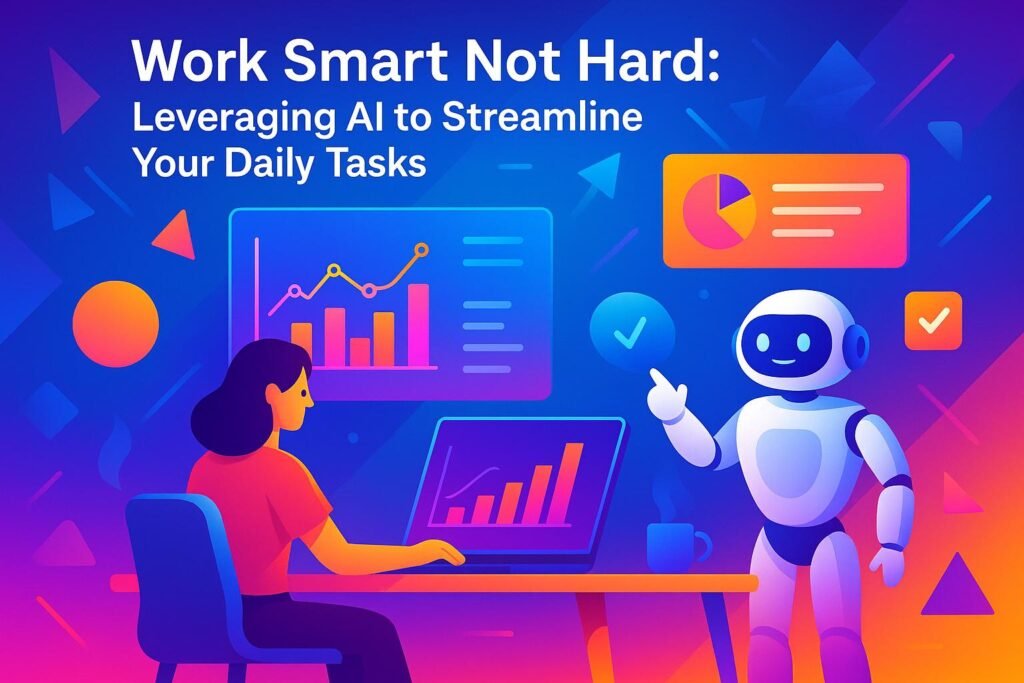
AI tools can help entrepreneurs save time, make better decisions, and reduce stress. By automating repetitive tasks like scheduling, data entry, and email management, AI frees up time for high-impact work. Tools also provide data-driven insights to improve decision-making and prevent burnout by managing workloads more effectively.
Key Takeaways:
- Save Time: Automate routine tasks like scheduling, email sorting, and data analysis.
- Improve Decisions: Use AI to analyze market trends, customer feedback, and project risks.
- Reduce Stress: Tools like Reclaim.ai protect personal time, and Breaktime Buddy ensures regular breaks.
Top AI Tools:
- Motion: Automatically schedules tasks and predicts deadlines.
- ClickUp: AI assistant for managing projects and summarizing updates.
- Notion AI: Enhances note-taking and brainstorming.
- Zapier: Automates workflows across 8,000+ apps.
How to Start:
- Identify repetitive tasks in your workflow.
- Choose AI tools that fit your needs and budget.
- Set up tools with clear goals and secure data practices.
AI isn’t here to replace your creativity – it’s here to handle the mundane, so you can focus on growing your business and maintaining balance.
How I use AI as an Entrepreneur (My complete workflow)
Key Benefits of Using AI for Daily Tasks
AI isn’t about replacing human intuition – it’s about enhancing what you’re already capable of achieving. By weaving AI into your daily routine, you can streamline your workflow and unlock new levels of productivity.
Let AI Handle Repetitive Tasks
One of AI’s most practical uses is taking over repetitive, time-consuming tasks. For many tech entrepreneurs, hours are lost to activities like managing emails, entering data, scheduling meetings, or handling basic customer support. These tasks, while necessary, often distract from more impactful work like developing products or crafting strategies.
With AI, these routine chores can be handled efficiently and consistently. For instance, AI tools can sort your inbox, draft email responses, and even update your calendar based on your habits. When it comes to processing documents, AI can extract key details from contracts, invoices, or feedback, organize them, and flag anything that needs your attention.
By automating these tasks, you free up valuable time and energy to focus on the bigger picture – whether that’s refining your business model or brainstorming your next big idea.
Make Better Decisions and Stay Focused
AI doesn’t just save time; it also improves the quality of your decisions. Entrepreneurs often face "decision fatigue" from the sheer number of choices they need to make daily. AI steps in by providing data-driven insights that simplify the decision-making process.
For example, market analysis tools powered by AI can quickly process vast amounts of industry data, competitor trends, and customer feedback. Instead of spending hours sifting through reports, you can access concise, actionable insights tailored to your business. Similarly, AI can analyze customer behavior to highlight what’s working and where improvements are needed – no manual number-crunching required.
AI also helps you stay focused by filtering out irrelevant information. News aggregation tools can deliver updates specific to your industry, while project management software can prioritize tasks and deadlines that align with your current goals. This means you can devote your mental energy to creative problem-solving and long-term planning, rather than getting bogged down by endless data.
Prevent Burnout and Improve Work-Life Balance
One of the underrated benefits of AI is its ability to support your well-being. Burnout often comes not just from long hours but from the stress of juggling multiple priorities and feeling perpetually behind. AI can help ease this burden by managing your workload more effectively.
For instance, smart scheduling tools can adjust timelines based on your capacity, helping you avoid overcommitting. AI can also filter out non-urgent messages, so you’re not constantly interrupted by trivial updates. By monitoring business metrics and tracking project progress, AI can even alert you to potential issues before they spiral out of control.
This kind of support helps you maintain better boundaries between work and personal life. With less stress and more time to recharge, you’ll find it easier to stay productive during work hours and fully present in your personal time.
Best AI Tools to Improve Your Workflow
AI has become a game-changer for saving time and minimizing burnout, but choosing the right tools can take your workflow to the next level. Whether you’re managing multiple projects, creating content, or automating repetitive tasks, these tools are designed to keep up with the fast-paced demands of tech entrepreneurs and business professionals.
Task and Project Management Tools
Managing tasks and projects can be overwhelming, especially when juggling multiple priorities. These AI-driven tools are here to help you stay organized and efficient:
- Motion: This tool maps your tasks directly onto your calendar, adjusting priorities automatically to protect your focus time. Its AI predicts project end dates and sends alerts when things start veering off course – perfect for keeping complex workflows on track.
- ClickUp: Known for its all-in-one platform, ClickUp features "ClickUp Brain", an AI assistant that lets you manage your workspace through chat commands. It can summarize project updates, identify duplicate tasks, and flag bottlenecks. With an impressive 4.7-star rating on G2 and a 9.1/10 recommendation score, it’s a trusted choice for business users.
- Notion AI: This tool integrates seamlessly into your workspace, offering writing assistance for notes, summaries, and brainstorming. Its Q&A feature instantly finds action items and updates project details, keeping your team aligned.
- Wrike: Wrike’s AI stands out with its predictive insights. It analyzes workspace data and task activity to flag potential risks before they escalate. The Wrike Copilot feature provides detailed project explanations and automates repetitive tasks, giving team leaders a clearer picture of their priorities.
These tools make managing projects smoother, but they also set the stage for tackling another common challenge: content creation.
Content Creation and Writing Assistants
Producing content can be a major bottleneck, especially when you’re responsible for everything from marketing copy to technical documentation. AI writing tools have evolved to meet these demands, offering more than just basic text generation. They now understand context, adapt to different tones, and can handle a wide range of writing needs.
Whether you’re drafting blog posts, crafting social media updates, or writing product descriptions, these tools are designed to generate high-quality content quickly. They help you maintain consistency across your brand while saving time and effort.
Automation and Workflow Tools
Automation tools are essential for streamlining workflows, especially when you rely on multiple specialized apps. Here’s one standout tool:
- Zapier: With connections to over 8,000 apps, Zapier allows you to automate even the most complex workflows. It enables you to create custom AI agents, interfaces, and tables for tasks like data management and task assignment. This level of integration is especially valuable for entrepreneurs who need their tools to work together seamlessly.
AI-powered automation tools are shifting the way workflows are managed. They go beyond simply tracking tasks – they act as proactive partners that anticipate your needs, adjust timelines, and make routine decisions without constant input.
In fact, 21% of project managers are already using AI in some capacity, and 91% of senior leaders expect AI to significantly influence project management in the near future. For many, AI-generated reporting has cut quarterly reporting cycles from days to mere hours, showcasing the time these tools can save.
The move from reactive to proactive management is a game-changer. These tools analyze your work patterns, predict potential bottlenecks, and suggest optimizations before problems arise. With their help, you can stay ahead of your workload and focus on what truly matters.
sbb-itb-7c1dd7e
How to Add AI Tools to Your Daily Routine
Incorporating AI into your daily workflow starts with understanding your needs and choosing tools that align with your goals – without overwhelming yourself with too many options.
Figure Out What Your Business Needs
Start by tracking how you spend your time over a week. Use a basic tracking tool to pinpoint where your time goes and identify major time-draining tasks. These typically include things like managing emails, scheduling meetings, repetitive content creation, or providing status updates.
Once you’ve gathered this data, sort your tasks into three categories: tasks you enjoy and want to keep doing, tasks that are necessary but tedious, and tasks that could be eliminated altogether. Your focus should be on the second category – those tedious but essential tasks. These are prime candidates for automation. For instance, if you find yourself spending two hours a day juggling your calendar and responding to meeting requests, an AI scheduling tool like Motion could save you significant time by automating these processes.
Think about your team’s comfort level with technology. If your team isn’t particularly tech-savvy, prioritize tools with simple, user-friendly designs over those packed with features that might require lengthy training. The best tool is the one your team will actually use regularly.
Also, consider your budget. AI tools typically cost between $10 and $50 per user each month. Compare these costs to your hourly rate to determine if the investment makes sense for your business.
Once your needs and budget are clear, the next step is setting up your AI tools for maximum efficiency.
Set Up AI Tools for Best Results
The way you configure your AI tools can make or break their effectiveness. Start by tailoring the settings to your location – use U.S. formats for dates (MM/DD/YYYY), currency (USD), and time zones. Then, focus on cleaning and organizing your data before importing it into the new system. This means removing outdated contacts, archiving completed projects, and arranging files into well-structured folders.
When implementing a tool like ClickUp, avoid diving in headfirst with all your projects. Instead, start small – migrate just one project or client account. Use this as a test case to explore the features, train your team, and troubleshoot any issues. Once you’ve fine-tuned this initial setup, you can gradually expand its use across your workflow.
For AI writing tools, customize prompts and templates to reflect your business’s tone and style. For example, if the tool is used for client emails, create templates that include your standard greeting, key details, and a professional closing. This ensures consistency and saves time.
Integrations are another key step. Tools like Zapier might require some upfront setup, but they can automate repetitive tasks and save hours in the long run. Take the time to connect your AI tools with your CRM, email platform, and file storage systems for smoother operations.
Once your tools are set up, don’t overlook the importance of securing your data.
Keep Your Data Safe and Secure
Because AI tools often handle sensitive business information, data security should be a top priority. Businesses in the U.S. must adhere to specific compliance and data protection standards, even when working with third-party AI providers.
Start by verifying that your AI tools meet compliance certifications like SOC 2 Type II or GDPR. If your industry has strict data residency requirements – common in healthcare, finance, and government contracting – make sure the provider offers U.S.-based data centers to keep your information within the country.
Implement strong access controls. Use unique passwords, enable two-factor authentication, and set role-based access permissions so employees only see the data necessary for their work. Regularly review and update these permissions as team roles evolve.
Automate data retention and deletion schedules to minimize exposure to breaches and maintain compliance with privacy laws. For example, decide how long you’ll keep data in each system and set up automatic deletion for outdated files.
Even though AI platforms often include backup systems, it’s wise to maintain your own copies of critical information. Export essential data monthly and store it securely outside the AI platform. This ensures you’re protected in case of service disruptions or if you decide to switch tools.
Finally, educate your team on security best practices. Train them to recognize phishing attempts, follow guidelines on what information can and cannot be shared with AI tools, and report any security concerns immediately. Regular training sessions can help keep security top of mind, especially as you introduce new tools to your workflow.
Four repeatable AI workflows for founders
The most useful AI workflow has a clear input, a narrow task and a human review before anything is sent, published or added to a business system. Start with one of these recurring jobs instead of trying to automate an entire role.
1. Triage email without surrendering the final reply
- Collect only the messages that need a decision or response.
- Ask AI to group them by urgency, customer impact and required action.
- Generate short draft replies using your approved facts and tone.
- Check every recipient, promise, date and attachment before sending.
2. Turn meeting notes into accountable follow-up
- Provide notes or a transcript that participants are permitted to share.
- Ask for decisions, open questions, owners and deadlines in separate lists.
- Compare the output with your own notes and correct missing context.
- Move approved actions into the team’s normal project system.
3. Create a weekly research brief
- Define one question, audience and date range.
- Provide trusted sources or require links for every important claim.
- Ask AI to separate confirmed facts, interpretations and unknowns.
- Open the original sources before using the brief in a decision.
4. Draft a standard operating procedure
- Describe the trigger, owner, tools, steps and definition of done.
- Ask AI to identify missing decisions, failure cases and handoffs.
- Let the person who performs the work test the draft on a real task.
- Approve the corrected version and assign a review date.
Privacy and quality guardrails
- Do not paste passwords, private keys, payment details or unnecessary personal data into an AI tool.
- Check the provider’s data-retention and training settings before using confidential business information.
- Require human approval for external messages, financial decisions, health or legal content and changes to production systems.
- Keep the source material beside the output so reviewers can verify important claims.
- Measure time saved and error rates for 30 days before expanding the workflow.
AI should shorten the path from information to a reviewed decision. It should not remove ownership of the decision.
Maintain Your Health with AI-Powered Strategies
Running a tech business can feel like a never-ending sprint. Between managing teams, chasing innovation, and meeting growth targets, personal well-being often takes a backseat. But what if technology could help you stay on top of your health while keeping your productivity intact? AI tools are stepping in to create smarter work habits that safeguard your mental health and prevent burnout.
Here’s how AI can help you take control of your time, breaks, and overall well-being.
Use AI to Protect Your Personal Time
AI scheduling tools are becoming game-changers for setting boundaries between work and personal life. These tools analyze your work habits and automatically create healthier schedules.
Take Reclaim.ai, for example. It’s designed to protect your focus time, reduce meeting overload, and build buffer zones into your day. Users have reported saving 4.15 hours of overtime every week and improving their work-life balance by 41.9%. The platform even enforces boundaries by detecting late or weekend work and rescheduling or declining meetings that spill into your personal time. If you’re constantly scheduling meetings past 6:00 PM, Reclaim.ai will step in to ensure your evenings stay yours.
Similarly, Clockwise optimizes your calendar by grouping scattered time slots into uninterrupted work blocks. This reduces the mental strain of constantly switching tasks, helping you stay focused and efficient. These tools can also set firm end times for your workday, blocking any new tasks or meetings from creeping in after hours. What’s great is that the AI removes the awkwardness of saying no – it handles these decisions objectively, sparing you the guilt or social pressure.
Add Wellness Breaks with AI Reminders
Taking regular breaks isn’t just nice – it’s essential for staying sharp. AI-powered tools can determine the best times and types of breaks for you based on your workload, stress levels, and daily patterns.
Breaktime Buddy is a standout in this space. Using machine learning, it creates personalized break schedules tailored to your needs. By analyzing data from your calendar, emails, and even wearables, it can detect signs of fatigue or stress. When it notices you’re running on empty, it suggests activities like breathing exercises, short walks, or quick meditation sessions. The results? Users report 87% less stress, a 2.3x boost in productivity, and an average of 45 minutes saved daily through better break timing. With a 92% satisfaction rate, Breaktime Buddy ensures your breaks truly recharge you.
On the mental health side, tools like Woebot, Wysa, and Tess provide 24/7 support through AI-driven chatbots. These virtual assistants track your mood and offer personalized strategies to help you manage stress before it escalates. They’re especially effective as early intervention tools, helping you stay ahead of burnout.
What makes these AI tools effective is their ability to adapt. If you consistently ignore a 3:00 PM break reminder but respond better at 4:00 PM, the AI adjusts. This kind of personalization ensures the strategies fit seamlessly into your workday instead of feeling forced or disruptive.
How ‘Work Smart, Not Hard’ Supports Entrepreneurs
Balancing growth with personal well-being is no small feat, especially for U.S. tech entrepreneurs. That’s where Work Smart, Not Hard comes in. This platform offers practical advice tailored to the unique challenges of running a startup, from securing funding to managing remote teams across time zones.
Unlike generic productivity tips, Work Smart, Not Hard focuses on actionable solutions. Each guide provides specific tool recommendations, step-by-step implementation advice, and measurable results. For instance, instead of simply suggesting “take more breaks,” it explains how to configure AI tools to protect your personal time while keeping clients and investors happy.
The blog also addresses financial realities. Recognizing that many startups operate on tight budgets, it highlights cost-effective AI tools and provides clear cost-benefit analyses. These insights show how investing in the right tools can save money by increasing efficiency and reducing burnout-related turnover.
As your business grows, so do your challenges. What works for a solo founder might not suit a CEO managing a 50-person team. Work Smart, Not Hard offers guidance for every stage of growth, helping you adapt your wellness and productivity strategies as your responsibilities evolve.
Conclusion: Use AI to Work Smarter, Not Harder
Running a business can be overwhelming, but AI tools are here to help you tackle the grind so you can focus on what truly matters. What was once a futuristic idea has now become a reliable partner, reshaping how you manage tasks, protect your time, and take care of yourself.
Entrepreneurs often find that AI tools not only improve productivity but also lighten the mental load of constant decision-making. The key, though, is to integrate these tools thoughtfully. By choosing solutions that handle repetitive tasks and free up your personal time, you can create a workflow that fits seamlessly into your daily routine.
This platform offers practical strategies to weave AI into your business processes, helping you establish habits that grow with your business. As the challenges of running a tech-driven business continue to shift, having a resource that understands the unique needs of U.S. entrepreneurs can make all the difference. With its focus on practical advice and scalable solutions, this platform ensures you’re not just optimizing for today but laying the groundwork for long-term success.
FAQs
How can AI tools help entrepreneurs achieve a better work-life balance?
AI tools can play a big role in improving your work-life balance by taking care of repetitive tasks, managing your schedule, and simplifying workflows. Think about all the time spent sorting emails, scheduling appointments, or organizing data – AI can handle those time-consuming chores, giving you more space to focus on meaningful work or personal priorities.
On top of that, AI-powered virtual assistants and task management apps can help you stay on top of things. They can track deadlines, set reminders, and even offer actionable tips to make your day more efficient. With these tools, you can concentrate on what matters most – whether it’s growing your business or enjoying more personal time – without feeling buried in stress.
How can I start using AI tools to make my daily tasks more efficient?
To begin using AI tools, start by pinpointing the tasks in your routine that take up too much time or feel repetitive. Think about what you want to achieve – whether it’s saving time, boosting efficiency, or cutting down on manual work. Once you’ve got that figured out, look into tools that match your goals, such as task management apps, virtual assistants, or workflow automation software.
If you’re new to this, try starting with no-code platforms that make it easy to handle things like email campaigns or scheduling without needing technical expertise. Test out these tools on a small scale first, see what works, tweak as you go, and then gradually expand their role in your workflow. This step-by-step approach makes it easier to incorporate AI into your daily tasks without feeling overwhelmed.
How can AI tools help protect my business data, and what steps should I take to safeguard sensitive information?
AI tools often come equipped with security features like encryption, access controls, and real-time monitoring to help protect your business data. Many platforms also align with industry regulations to ensure your information is managed securely.
To add an extra layer of protection for sensitive data, here are some practical steps you can take:
- Use strong, unique passwords and activate two-factor authentication (2FA) for all accounts.
- Keep your software updated to benefit from the latest security fixes.
- Restrict access to sensitive information by granting permissions only to team members who genuinely need it.
- Back up your data regularly to secure locations, ensuring you’re prepared for any unexpected situations.
When you pair AI tools with these strategies, you can strengthen your data security and minimize risks to your business.
Continue with a complete guide
For a connected framework, explore our startup systems and tools guide. Then continue with practical automation tools for tech entrepreneurs for a practical next step.